Full game metadata
| Field | Value |
|---|---|
| Steam app type | game |
| Steam App ID | 1282180 |
| Live current players | 0 |
| SteamPulse tracked peak | 0 |
| Live count (today's peak floor) | 0 |
| Price | $2.99 |
| Free to play | No |
| Discount | 0% |
| Original price USD | $2.99 |
| Current price USD | $2.99 |
| Release date | Jun 1, 2020 |
| Developer | Arational Entertainment |
| Publisher | Arational Entertainment |
| Owners estimated | Not available |
| SteamSpy owner estimate minimum | Not available |
| SteamSpy owner estimate maximum | Not available |
| Review type | 2 user reviews |
| Positive review percent | 50% |
| Positive reviews | 1 |
| Negative reviews | 1 |
| Total reviews | 2 |
| Steam recommendations | Not available |
| Achievements | Not available |
| Average playtime forever | 303 minutes |
| Windows support | Yes |
| macOS support | Yes |
| Linux support | No |
| Parent game | Not available |
| Store URL | https://store.steampowered.com/app/1282180/ |
Short description
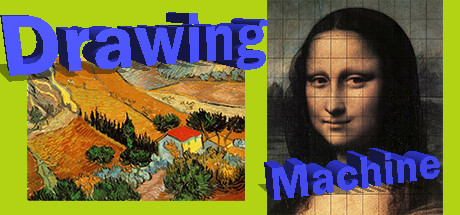
Drawing Machine is an implementation of Durer's drawing machine that helps a non-artist draw pictures. In turn, these pictures can be used to create any type of graphic, web, video, or gaming application. "Divide and Conquer" applied to drawing.
About this game
In 1525 Durer invented his drawing machine. It is a way to mechanically produce a picture. Drawing Machine is an implementation of this technique on a desktop that helps you draw a picture. This app will help you learn to draw. As your skill improves you can use the app less and less as you develop the proper mental repertoire for drawing pictures. This app is "Divide and Conquer" as it can be applied to drawing. Durer's drawing machine works by dividing the picture into many smaller contiguously-connected pictures. Instead of drawing one large picture all at once you draw each of many small pictures, one after another. You can see how each smaller picture is connected to the other small pictures. The original picture is cut up into these smaller pieces by you specifying the number of squares you want. If you specify 10 squares then the original picture is sectioned into a 10 by 10 mesh of smaller pictures for a total of 100 small connected pictures. Overall, the technique is very simple and very effective. This app is useful whenever someone who is not an artist needs to draw a picture. If you need to draw a picture to be used on computer then you can use this app to draw whatever picture you need. This is true even if you are a bad artist. You can take a picture with your cell phone and use that image in the Drawing Machine to create your very own personalized version of your photo. You can look up any picture online and use the Drawing Machine to create the picture you would draw if you really were a good artist. Therefore, this app can be used for design and illustration, for web page design, for animation and modeling, or for any process which requires pictures or images. You can use the app to become a better artist or to add your personal artistic graphic touch to your game. Many of us are not good artists but must produce pictures or images for our aspiring games. We can't afford to hire professional artists to create our pictures. You can plug this app into the gap in your skills that exists if you aren't an artist. If you wish you can use the app only to locate and place certain problematic points on your target image. Alternatively, you use the app o…
Supported languages
English, French, Italian, German, Spanish - Spain, Arabic, Bulgarian, Czech, Danish, Dutch, Finnish, Greek, Hungarian, Japanese, Korean, Norwegian, Polish, Portuguese - Portugal, Portuguese - Brazil, Romanian, Russian, Simplified Chinese, Spanish - Latin America, Swedish, Thai, Traditional Chinese, Turkish, Ukrainian, Vietnamese