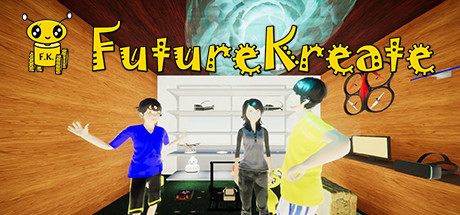
FutureKreate news collects recent Steam feed items, update posts, and announcements that SteamPulse can associate with this app.
- Latest observed playersNot available
- SteamPulse tracked peak2
- Units sold (VGI)No data available
- Revenue (VGI)No data available
- Review score50% positive
- Total reviews2
- Release dateApr 13, 2021
- DeveloperD.K.T. ltd
- PublisherD.K.T. ltd
Genres: Adventure, Indie, Simulation, Early Access
Company pages: Developer: D.K.T. ltdPublisher: D.K.T. ltd
FutureKreate Steam news
FutureKreate news collects recent Steam feed items, update posts, and announcements that SteamPulse can associate with this app.
Latest Steam announcements
- Develop Robot AI in FutureKreate! - 10 September 2021
This is a robot AI program running in FutureKreate. AI is understanding Dog and car. This AI program is developed for real world, and FutureKreate can work as same as the real robotics environment!
- FutureKreate runs on Linux! - 27 August 2021
FutureKreate can run in Linux OS! Use Steam Play(Proton) to play FutureKreate on Linux! Installation for FutureKreate in Linux FutureKreate Dev Team enviroment is Lenovo Legion 7i, Geforce RTX 2070 with Max-Q design, intel core i7, Ubuntu 20.04 LTS. We used the nvidia 470 graphics driver. Steam Installation 1. Install the 32 bit packages. Steam Client can only work in 32 bit mode. $sudo dpkg --add-architecture i386 $sudo add-apt-repository multiverse $sudo apt update $sudo apt install libnvidia-gl-470:i386 2. Install steam-devices and steam. $ sudo apt install steam steam-devices $ sudo apt remove steam 3. Reinstall steam from website. Access https://store.steampowered.com/about/ from your browser(firefox), and download the latest steam client. $ sudo apt install ~/Downloads/steam*.deb 4. SteamOS-Ubuntu Install We are going to install SteamOS on Ubuntu. $cd ~/ $git clone https://github.…
- Weather Update and Online Multiplayer in development! - 26 July 2021
In the next update(large update), FutureKreate is updating the weather system! -Rain & Snow -Better Moon -Better stars & milkyway -Clouds are moving! FutureKreate Dev Team is working towards multiplayer now. We are going to support 3 types of multiplayers. Local Multiplayer Progress : 80% Done Travel the world as a robot with your friends! You can make this feature online by using Steam Remote Play Together. LAN Multiplayer Progress: 50% Done We are planning to support playing up to 64 players. We are going to make this feature work online if you open the network router port manually. Global Online Multiplayer(Network Lobby) Progress: TODO We are going to work on this after LAN multiplayer is finished. Contact us in discord for support! https://discord.gg/8xwynBKEWt
- Quest : Happy Mini Memory Added! - 25 June 2021
We added a quest "Happy Mini's Memory" in the game! Please enjoy it!
- Remote Play Together Customer Support and Bugfix - 22 May 2021
We supported FutureKreate user "how to use CREATOR MODE" using Remote Play Together. 1. Upload the Holand Loptaro robot 3D blueprint (the character in story mode) 2. Color Loptaro 3. Make it move We succeeded in supporting the user uploading the robot, changing the size, and changing to the favorite color. However, the final robot transfer failed. Today, we tested the CREATOR MODE with various computers with the cooperation of a University Professor in Robotics. We figured out CREATOR MODE works with no problem if you are using a PC bought before 2021, however, if you are using a PC bought in 2021, then the CREATOR MODE doesn't work properly. We fixed this problem in under 24 hours. Now, it is able to use CREATOR MODE with a PC bought in 2021. Currently, we are supporting Early Access users via Remote Play Together and Discord VC! FutureKreate Dev Team is very happy to fix bugs! We are…
- Quest is coming! - 18 May 2021
Enjoy the travel of the "Happy Mini's Memory" Quest! Also, we did these following several updates. 1. Robot Character, "Snail" and "Hungry Panda" have been added. 2. We flattened some of the steep terrain. 3. You can check the controls from the OPTIONS menu. Instead, we deleted the tutorial menu by pressing P key. 4. A new intro stage have been added, when you choose the "Happy Robot Researcher" Role. 5. Some of the loading scene have changed from 2D black screen to 3D interactive scene. Now you can enjoy when waiting. 6. The Flight control Up/Down have been changed from Q/E to Z/C. 7. Better physics for grounded robots. 8. KAME Robot can turn on flashlight and travel night environments by pressing F. This function is only supported in KAME robot.
- Robot Sports Mode in development! - 12 May 2021
We are developing a sports mode, like playing soccer or marathon races against other robots! In this update, we added a soccer court in FutureKreate Island. Soccer court is located in the beach of FutureKreate Island. In the next update, we are planning to implement soccer match functionality! Also, we are planning to add several robots, and develop drone racing mode.
- Map Update! - 7 May 2021
User have found a secret feature that map menu will be opened by pressing the M button. We made the map feature as a official release in this update! You can show the minimap by N button, and world map by M button. The current location is shown in blinking red & green. Also, we added the following features. -FutureKreate time can be set up in 24hour - 1 day or 24 minutes- 1day. You can enjoy the climates with less time now! -The drone momotan is fallen down after colliding into object such as trees, and the collision SFX have been added.
- Mountain Nature Update! From a user's feedback - 4 May 2021
There was a feedback from a user, "I want to enjoy mountain natures!" We rapidly added mountain nature to enjoy climbing experience as a robot! We are waiting for the user's feedbacks!
- Nature Update! - 30 April 2021
We added various nature environments for the best robot reincarnation experience! Flowergardens, Plains 180 degrees camera robot view Travel the flower garden Fly over the flower gardens as a drone! Drone view Tropical Island View of a small robot, it is like a small animal Go to the Tropical Island instantly as a robot! Forest Also, for the optimal drone reincarnation experience, we added propeller sound & spin dynamics. You can listen to the background music when you flight over altitude 50m. Enjoy the flight trip!
- Creative Adventure Update! - 27 April 2021
We updated the Creator Mode dialog! You can make your own world, even if you are a beginner creator, by just uploading general 3D models as a robot body and also making it to a big building. We are also publishing the FutureKreate lab floorplans in discord. Here is a FutureKreate user screenshot using the Creator Mode. The user have made 2 aerial islands :o Also, we have added building achievements!!
- Island Nature Overhaul in Development! - 26 April 2021
FutureKreate Island Nature is going to be overhauled, which was made by A.I. System Tensei-chan! Also snows are going to be added!
- Lab blueprints are being distributed! - 25 April 2021
We've started to provide usage support of FutureKreate for early access users via Steam's Remote Play Together feature! If you'd like to join, please contact me in the FutureKreate discord community! https://discord.gg/8xwynBKEWt The creator mode was initially created for robotics researchers for experiment usage. We are updating it so that more people can enjoy creating with ease. This time, the blueprint of the FutureKreate lab is available on the discord community page. https://discord.gg/8xwynBKEWt" Please save the file "heya.fbx" and try to use it in creator mode. The building mode screen can be opened with H key. You can upload only one robots, but you can upload as many architectures as you want. . A white room will appear. You can choose the material of the walls, door, carpet, etc. It is also fine to leave it as it is. . You can build in the sky or on empty land. In this case,…
- Update: You can teleport your house into FutureKreate! - 23 April 2021
In yesterday update, we added a feature to upload your room floor plans in CREATOR MODE! You can upload floor plans as many as you can! You can even make an aerial city using a real 3D floor plan in Creator Mode! You can see the Creator Mode buildings in the screenshots user posts! How to Use Enter Creator Mode, then press H key. Upload your 3D floor plans. There are many open 3d floor plan site on the Internet! Also you have to convert the floor plan to .obj format. To convert to OBJ, this site is pretty useful. https://www.meshconvert.com/ Please rename the file which doesn't include two dots before uploading the file to FutureKreate. (model.dae.obj : NG, model.obj : GOOD) Set the room world position using the x, y, z field. If you want to set up the direction, set up the yaw, pitch, roll field. Proceed next by pressing > button, and select materials. You can choose concretes, various…
- Real Robot Vision Experience! - 21 April 2021
You can experience a more realistic robotics vision now! Happy Mini 2017 has a full range camera, which participated in RoboCup 2017 Nagoya. She has two 180 degrees cameras so it is possible to look full range of the environment. In this update, we simulated the vision of the 180 degrees wide range camera! To experience the enhanced robot vision, choose Happy Mini 2017 in the Robot Select Menu, and press V to switch to robot vision. We are planning to add an infrared camera and a night vision camera in the future release! Also, we improved the building feature : ・Foundation parts became easier to build ・CREATOR MODE also supports building features now. We also supported Remote Play Together. However, FutureKreate cannot do multiplayer. You can share the experience of building and adventure with your friends. In CREATOR MODE, we are planning to add a feature to upload 3D floorplans! You…
- v1.1β : Build your own civilization! - 20 April 2021
We've added a beta version of the building feature to our story mode! As the first step to reincarnating into a robot and creating a civilization in an A.I. generated FutureKreate Island, Build your own house and facilities! The rubble of buildings destroyed by war was turned into recycled concrete building materials by the AI. You became a robot! Build houses on the ocean floor, or even in the air at an altitude of over 1000 meters! You can clear and level the land with the Foundation parts. This feature makes it possible to create reclaimed lands and bridges. . Controls After opening the building menu with the B button, 4 building objects can be used with 1-4 keyboard button. Recycled rubble concrete foundation: Keyboard 1 Recycled rubble concrete walls: Keyboard 2 Recycled rubble concrete ceiling: Keyboard 3 Lantern: Keyboard 4 Left-click to place a building, right-click to delete it…
- Become a robot researcher at Creator Mode! - 18 April 2021
Creator Mode can test your original robots. FutureKreate Developer is also developing robots not only in the game but in the real world. FutureKreate Developer used FutureKreate Creator Mode to develop laser scanner (LiDAR) AI. Real robots usually use a laser scanner called LiDAR to recognize the surrounding environment. FutureKreate supports LiDAR sensor simulation. (Only in Creator Mode)
- Building Feature in Development! - 18 April 2021
We are currently developing the building functionality which we could not release on April 13th. With this feature, you can build your house on the island. We are also going to add more forests and flower gardens on the island. FutureKreate is going to be updated frequently, and going to be an exciting simulation game!!! We are waiting for your feedback!!!
- FutureKreate is live! - 13 April 2021
FutureKreate Early Access is live ! We are waiting for users feedback!!! Also, we added Steam Achievements in our game. Please enjoy the game!! FutureKreate Discord : https://discord.gg/cXqdCWuUms
- Waiting for the Steam Audit, then release done! - 8 April 2021
FutureKreate is in the final step of the audit in Steam. FutureKreate will be released when the audit is finished.
Patch notes and updates
| S.no | Release date | Patch name | GID number |
|---|---|---|---|
| 1 | 21 April 2021 | Real Robot Vision Experience! | 4074045244000080549 |
Interactive charts, reviews, news, prices, and comparison tools load in the full SteamPulse app.