Full game metadata
| Field | Value |
|---|---|
| Steam app type | game |
| Steam App ID | 1816100 |
| Live current players | 0 |
| SteamPulse tracked peak | 0 |
| Live count (today's peak floor) | 0 |
| Price | Free to play |
| Free to play | Yes |
| Discount | 0% |
| Original price USD | — |
| Current price USD | Free |
| Release date | Dec 24, 2021 |
| Developer | Kim Yong Bum |
| Publisher | Kim Yong Bum |
| Owners estimated | Not available |
| SteamSpy owner estimate minimum | Not available |
| SteamSpy owner estimate maximum | Not available |
| Review type | Not available |
| Positive review percent | Not available |
| Positive reviews | 0 |
| Negative reviews | 0 |
| Total reviews | 0 |
| Steam recommendations | Not available |
| Achievements | Not available |
| Average playtime forever | Not available |
| Windows support | Yes |
| macOS support | No |
| Linux support | No |
| Parent game | Not available |
| Store URL | https://store.steampowered.com/app/1816100/ |
Short description
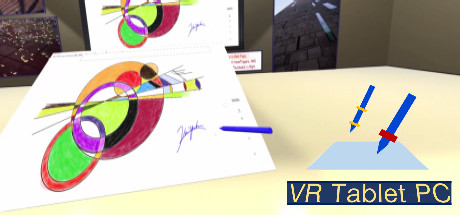
This VR Tablet PC is a kind of virtual PC in VR space. VR users can use this VR Tablet PC to perform touch input , dragging input on the display of a virtual PC, or input letters with virtual stylus pens and virtual keyboard, just like using a tablet PC in a real environment.
About this game
Attention : VR Tablet PC supports keyboard input in English, Japanese and Korean. What are you using a VR device for? Just for fun? entertainment? Suppose you need to add a handwritten signature to an electronic document on a PC or add a drawing by hand, and you only have a desktop PC and a mouse. Besides, you don't have a tablet PC, pen type digitizer, camera, or scanner. If so, do you have to buy them additionally? If you have a VR device, you don't have to. You can use this app to perform the above actions in VR space. Any PC-based app can be used in VR space, so you can draw or write with any app you want. And, edit it with another app. And, attach an image, that has been edited, to another app to use. All of the above tasks can be batch-processed in VR space using VR Tablet PC. If so, wouldn't that be a sufficient reason to use the VR device as a necessity? If the work area cannot be seen well on the screen due to the limitation of resolution, touch input work can be performed by enlarging only this part separately. For Oculus users, it is recommended to use 'Touch Controller of Oculus Rift S' if possible.
Supported languages
English, Japanese, Korean