Full game metadata
| Field | Value |
|---|---|
| Steam app type | game |
| Steam App ID | 288270 |
| Live current players | 2 |
| SteamPulse tracked peak | 6 |
| Live count (today's peak floor) | 2 |
| Price | No longer available on Steam Store |
| Free to play | No current Steam offer |
| Discount | Not available |
| Original price USD | Not available |
| Current price USD | Not available |
| Release date | May 27, 2014 |
| Developer | Rsupport Inc. |
| Publisher | Rsupport Inc. |
| Owners estimated | Not available |
| SteamSpy owner estimate minimum | 0 |
| SteamSpy owner estimate maximum | 20,000 |
| Review type | Mixed |
| Positive review percent | 46% |
| Positive reviews | 35 |
| Negative reviews | 41 |
| Total reviews | 76 |
| Steam recommendations | Not available |
| Achievements | Not available |
| Average playtime forever | 6,202 minutes |
| Windows support | Yes |
| macOS support | No |
| Linux support | No |
| Parent game | Not available |
| Store URL | Not available on Steam Store |
Short description
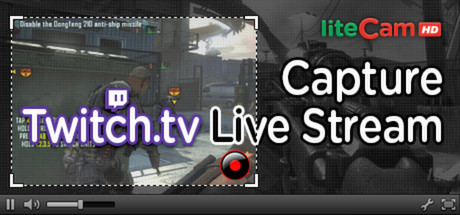
Capture live video from twitch.tv right away! liteCam HD is windows recording software that can capture any streaming/non-streaming videos on your computer. Also, with liteCam HD you can create tutorials, demos, and presentation. Grab the liteCam HD and create your own videos Today!
About this game
Capture twitch.tv and YouTube videos right away! - liteCam HD: Capture twitch.tv Live Stream! liteCam HD is windows recording software that can capture anything on your computer screen such as twitch.tv live stream, Skype video calls, online lectures, webinars, news broadcast. Also, with liteCam HD you can create tutorials, demos, and presentation. liteCam HD has 3 different recording Mode, Screen Recording Mode, Video Recording Mode, and Audio Recording Mode. liteCam HD Official Website: Why you need liteCam HD? A. Simple, Classic, and ease-to-use interface will make your recording easier B. Record both your computer sound and microphone sound simultaneously C. Record up to 24 hours with small file size D. Import and Use your favorite codec to record your activities E. Just set the Timer recorder, then automatically turn off the computer when it ends. F. Convert your videos to MP4 to watch on smartphone. Amazing Features from ‘liteCam HD: Capture twitch.tv Live Stream’ Screen recording: Record all your activities on your computer screen such us presentation, video calls, Class assignments. Video Recording: Record any streaming and non-streaming videos, including twitch.tv, your online lectures, movies. Converting Tool: Convert your recorded video to MP4 or WMV or your Audio to MP3, WMA WAV. Add effects to your video. Effects like Mouse Cursor, Video Title, Your OWN Logo, Ending Credits Shortcut Keys: Select keyboard keys to use for Record, Stop, Pause, Draw, and Capture for easier and quicker navigation Timer Recording: Schedule to record any activity, movies, shows, TV or radio programs, etc. Extract audio: Extract any audio from your recorded videos. Converter: liteCam HD produce only AVI files however, you can convert them to MP4 or WMV also convert recorded audio to MP3, WMA, or WAV formats Capture screenshot: While recording you can take a screenshot and save it as PNG, BMP, or JPG PIP: add a webcam(PIP) to your recording to boost the effect of your videos Add Logos: Add you custom design logo(s) to your video Add Title: add title to your videos Add credits: add ending credits to show that you created the video Edit Function: After recording…
Supported languages
English * * languages with full audio support