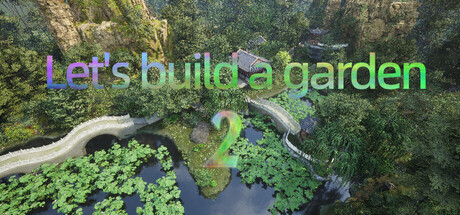
Let's build a garden news collects recent Steam feed items, update posts, and announcements that SteamPulse can associate with this app.
- Latest observed playersNot available
- SteamPulse tracked peak2
- Units sold (VGI)No data available
- Revenue (VGI)No data available
- Review score75% positive
- Total reviews4
- Release dateSep 25, 2024
- DeveloperZhang ShangHong, Zhang YuJie
- PublisherZhang ShangHong
Genres: Casual, Indie, Simulation
Company pages: Developer: Zhang ShangHong, Zhang YuJiePublisher: Zhang ShangHong
Let's build a garden Steam news
Let's build a garden news collects recent Steam feed items, update posts, and announcements that SteamPulse can associate with this app.
Latest Steam announcements
- Updated on March 21, 2026 - 21 March 2026
Fix the consistency of saving and displaying shortcut key changes.
- Control Settings Add Manual Save - 14 March 2026
Control Settings Add Manual Save男,
- Forget the sandbox of time, and create a garden that breathes - 7 March 2026
With the spring breeze brushing against our faces, everything comes back to life. In this season of creation, we are thrilled to announce that "Let's Build a Garden" 2 has completely broken the boundaries of traditional construction games, pushing the concept of "digital sandbox" to its limits. Here, there are no constraints of scores, no urges of tasks, just you and the breathing world around you.🌿 I. Boundless Creation: From Dust to the SkyWe have redefined "freedom". Now, your imagination is the only limit.Instant Forest Generation and Map Customization: In just 10 seconds, you can summon a lush and vibrant forest. Not satisfied with the current map layout? Now you can customize the map size, whether it's a miniature bonsai or a vast expanse, the choice is yours. With one-click generation, marvelous scenery is within reach.Expansion of 3000+ detailed model libraries: From the quaint…
- Updated on February 26, 2026 - 26 February 2026
Updated on February 26, 20261. Start the program from top to bottom and add three configurations: high, medium, and low. Choose according to your own computer configuration.2. Add directional options to the text on the gate plaque to adapt to the ancient right to left writing style.3. Other
- Updated on February 19, 2026 - 19 February 2026
Updated on February 19, 2026Fix the following issues:1. The material of the corridor cannot be modified2. Add sets of main hall seats, bedroom sets, dining chair sets, stone table sets, etc.3. Fix other issues
- Updated on February 4th, 2026 - 4 February 2026
Updated on February 4th, 2026Optimize flicker issue
- Updated on February 2, 2026 - 2 February 2026
Updated on February 2, 2026Add new features:1. One click rockery cave.2. Screen wall3. Photo frame4. Couplets5. Platform
- Updated on January 23, 2026 - 23 January 2026
Fix surface generation issues of objects and allow customization.The strategy has been completed and the rest will be uploaded to the store page. The data that needs to be modified has also been changed almost and is basically stable.After processing and entering the archive, delete and rebuild the ecological category. Save again.
- Unable to load archive after update: - 20 January 2026
Unable to load archive after update:In the Start menu settings, check the checkbox for loading archive with issues, return to click on load archive, and select the archive to be repaired to load.
- Updated on January 18, 2026 - 18 January 2026
Optimized the roof data Cloud wall control has been added to the courtyard walls and corridors. After cancellation, the overall effect will be undulating. The eaves add controllable ridges and eaves, pillars
- Updated on January 10th, 2026 - 10 January 2026
Updated on January 10th, 20261. You can customize the background color by simply entering 【 Settings Menu Colors 】, and you can easily change all background colors with just one click. Combined with the custom font color on the color, you can easily create a unique visual style. Your interface is defined by you.2. Fixed the issue of multiple invalid fixed windows.3. After correcting the current position scaling, it will affect the next construction.4. Integrated a pillar5. Added a new roof: ound ridge roof roof.6. Some small bugs in gable roof and Xieshan mountain top have been processedOther minor bugs
- minor update - 5 January 2026
January 5, 2026The position of the correction linkage collision did not change during adjustment.Some useless data has been removed.Some hidden data has been displayed, such as water level lines.Fixed the issue of missing spline points during curve construction and dragging.Add a plaque on the gateWhen the button is clicked, the auxiliary grid will be generated at the position of the character
- Build a Garden Bar 2 Update - 3 January 2026
January 3, 2026Building a Garden Bar 2 Update Log:1. Add unified control for various types of lighting.2. The courtyard walls, corridors, and eaves have been unified, making it easier to adjust and align.3. Solved the problem of initial color loss in the color picker.4. Add: Half of the courtyard wall, corner of the courtyard wall.5. Solved the problem of misalignment and distortion of dripping water during the construction of cloud walls.6. Adjusted some misplaced data caused by adding data.7. Restoration of bamboo slips material.
- Attention: New version, please make sure to backup. - 26 December 2025
Attention: Building a Garden Bar 2 is a brand new version. After the update, all saved files from the original game cannot be used. Please make sure to backup them.
- Building a Garden 2 Major Update Announcement: Creating Your Own Dream Garden - 26 December 2025
Building a Garden 2 Major Update Announcement: Creating Your Own Dream GardenNew version, unlimited possibilities! We are pleased to bring you a major content update for 'Building a Garden 2'. This time, we have listened to the voices of the community and brought many exciting new features and improvements, making your creative experience more free, intuitive, and enjoyable.🎯 Core update highlightsNew perspective and interfaceTop view construction mode: added God's perspective, making overall planning and layout clear at a glanceComprehensively revamped user interface: more intuitive and aesthetically pleasing, significantly improved operational fluencyRevolutionary Construction ExperienceExpand the construction library: add a large number of ancient and modern architectural elements, furniture, and decorationsReal time adjustment system: placed objects can still be resized at any time…
- Update 1.2.1.0 on December 14, 2024 - 14 December 2024
Update 1.2.1.0 on December 14, 2024 1. Archiving can be separated and saved separately.
- December 7, 2024 1.2.0.9 Update - 7 December 2024
December 7, 2024 1.2.0.9 Update 1. There is a problem of chaotic saving after saving too many files. 2. Failure to switch between walking and running. 3. The resolution UI does not display when starting the game. 4. To address the issue of shortcut key conflicts during faster descent, the x key has been changed to increase the descent speed.. 5. Terrain editing is still open during construction. 6. Update the flying sword material and add flying sword actions.
- December 1, 2024 1.2.0.8 Update - 1 December 2024
December 1, 2024 1.2.0.8 Update 1. Sword flying instead of jumping, shortcut keys: F: Switch flights. 2. Add editing functions to the terrain, such as building mountains, digging pits, digging holes, leveling the land (note that it is not in the traditional sense, it can be sloped flat), smoothing the terrain, etc. Shortcut keys: Left click to raise terrain, Shift+left click to dig pits, dig holes. T: Switch terrain tools.
- 1.2.0.7 Update 2024.11.22 - 22 November 2024
1.2.0.7 Update 1. Improve translation 2. Modify some materials 3. Fix the sticker and it is now usable. 4. Modify the ground to not allow mouse selection to avoid accidental clicking. 5. Add character bounce function, shortcut key F, to quickly drop, shortcut key: Shift+F. 6. The game interface can be completely hidden. 7. Repair the coordinate axis.
- Repair optimization - 11 November 2024
Fix: 1. The memory of outline panel entries and contents was not cleared in time and was deleted by mistake. At the beginning of the game, you can turn on the build mode. 3. Automatic archiving has been turned off 4. Auxiliary lines cannot be hidden. 5. The pedal material is incorrect. Optimization: 1. As long as the archive file exists, it will be directly displayed when clicking on the path. Click on import to complete the process. If you want to choose other, you need to delete the archive files in this path. 2. Several shortcut keys have been modified. The character is detached from N, teleported to the mouse position Ctrl+N, and in construction mode: move the field of view to select the coordinate axis N, teleport to the mouse position Ctrl+N, quickly save G, move the camera up Z, and move the camera down X. 3. Added overhead light, which can be turned on when entering the fake cav…
Patch notes and updates
Interactive charts, reviews, news, prices, and comparison tools load in the full SteamPulse app.