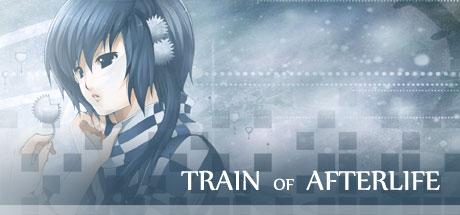
Train of Afterlife news collects recent Steam feed items, update posts, and announcements that SteamPulse can associate with this app.
- Latest observed playersNot available
- SteamPulse tracked peak2
- Units sold (VGI)No data available
- Revenue (VGI)No data available
- Review score51% positive
- Total reviews182
- Release dateJan 13, 2015
- DeveloperZeiva Inc
- PublisherZeiva Inc
Genres: Adventure, Casual, Indie, Simulation
Company pages: Developer: Zeiva IncPublisher: Zeiva Inc
Train of Afterlife Steam news
Train of Afterlife news collects recent Steam feed items, update posts, and announcements that SteamPulse can associate with this app.
Latest Steam announcements
- All revoked keys have been reinstated by Steam - 24 July 2021
I just received a message from Steam that all the revoked keys from bundles have been reinstated. According to them, you need to restart your Steam client and confirm that the apps are available in your library. Anyway, thank you very much for your patience. Let me make this clear, this is my fault and my fault alone. I was misinformed and I made a really stupid decision. If you are angry, your anger is justified. I won't ask you to take down your negative reviews or angry messages. It's my fault, so I won't blame anyone for getting angry at me. Also, in regard to Bundle Stars, they have paid me. This whole thing has nothing to do with them, and it was all a mistake on my end. For those of you who sent me supportive messages, I'm extremely grateful to you all. I know this is something I brought upon myself, but these few days had been a nightmare for me, so your understanding and genero…
- Steam Game Festival - 20 June 2020
Hello, everyone! We have just released two early demos for Steam Game Festival. Feel free to give them a try! Thank you! https://store.steampowered.com/app/1294260/Final_Frame/ https://store.steampowered.com/app/1293510/Anicon__Animal_Complex__Rabbits_Path/ You can also follow our game developer page here: https://store.steampowered.com/developer/zeivainc Thank you very much!
- New Zeiva Inc Game: Dragon Essence - Color My World - - 6 June 2017
http://store.steampowered.com/app/603380/Dragon_Essence__Color_My_World/ Hello, everyone! After six years of production, we have finally finished our newest game, Dragon Essence - Color My World -! If you enjoy our games, please give it a try! Thank you! STORY SUMMARY In a world where humans worship dragons as their gods, a human girl and a dragon boy meet each other by chance. A feudal fantasy Visual Novel - follow the story of Chi An as she struggles between the responsibility towards her family, society, and freedom to pursue her own happiness. FEATURES Romance, Drama & Fantasy 30+ Illustrations & 4 Endings 10 Original Soundtrack Rated Teen 13+
- New Zeiva Inc Game: Dragon Essence - Color My World - - 6 June 2017
http://store.steampowered.com/app/603380/Dragon_Essence__Color_My_World/ Hello, everyone! After six years of production, we have finally finished our newest game, Dragon Essence - Color My World -! If you enjoy our games, please give it a try! Thank you! STORY SUMMARY In a world where humans worship dragons as their gods, a human girl and a dragon boy meet each other by chance. A feudal fantasy Visual Novel - follow the story of Chi An as she struggles between the responsibility towards her family, society, and freedom to pursue her own happiness. FEATURES Romance, Drama & Fantasy 30+ Illustrations & 4 Endings 10 Original Soundtrack Rated Teen 13+
- Game Update: New Save Directory - 17 January 2015
Due to the reports that some people are having trouble saving, I updated the game to save the data in a new directory. It should solve the problem of the data being wiped out after you closed the game. Unfortunately due to these changes, the game will no longer be able to read the old save data. To get the old save data, you need to locate the original folder and transfer them to the new directory. Follow these simple steps: 1) First put this on the top address bar in Window Explorer: %appdata% 2) Then follow this to find the old save data directory: %appdata%\Macromedia\Flash Player\#SharedObjects\(RandomString)\(PathToGame)\(FileGameName)\ Your save data is named something like this, toa_01.sol, toa_02.sol and so on. 3) Cut and paste them to the new directory: %appdata%\Train of Afterlife\Savegame\ That should transfer the save data so it can be playable in the new version. I apologiz…
- Game Update: New Save Directory - 17 January 2015
Due to the reports that some people are having trouble saving, I updated the game to save the data in a new directory. It should solve the problem of the data being wiped out after you closed the game. Unfortunately due to these changes, the game will no longer be able to read the old save data. To get the old save data, you need to locate the original folder and transfer them to the new directory. Follow these simple steps: 1) First put this on the top address bar in Window Explorer: %appdata% 2) Then follow this to find the old save data directory: %appdata%\Macromedia\Flash Player\#SharedObjects\(RandomString)\(PathToGame)\(FileGameName)\ Your save data is named something like this, toa_01.sol, toa_02.sol and so on. 3) Cut and paste them to the new directory: %appdata%\Train of Afterlife\Savegame\ That should transfer the save data so it can be playable in the new version. I apologiz…
Interactive charts, reviews, news, prices, and comparison tools load in the full SteamPulse app.