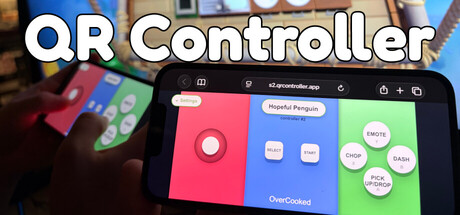
- QR Controller x SaveSync Bundle - 21 September 2026
QR Controller x SaveSync, a 10% bundle The awesome team at SaveSync offered to teamup on a bundle, and we were more then happy to oblige! They solve a problem we regularly had, who has the game save 😅 No more not being able to continue the progress because we started gaming on a different computer. From the start QR Controller has been part of the mission of removing co-op gaming friction, and SaveSync is an awesome component of that! So this felt like an awesome bundle, and I'm very greatful they reached out! QR Controller and SaveSync are now in one bundle at 10% off. Between them they fix the two things that usually stall a co-op night: not enough controllers for everyone in the room, and a save that only lives on the host's PC. What's in it QR Controller: turn any phone into a PC controller. Scan a QR code and play right in the phone's browser, no app install needed. Pick a gamepad…
- Update 1.96 - 23 August 2026
New controller picker! Your controllers on one side, Steam Workshop on the other. You can now browse, search and subscribe to Workshop controllers from inside QR Controller without opening Steam. New input type: Finger Steering Wheel! An on-screen wheel you spin with your finger, for those who don't want to tilt the phone. Set the radius needed for a full turn in the Controller Editor! Optimise there for optimal experience! Raw motion pass-through now has an axis remap window. (Sometimes useful depending on how you want to hold the phone...) Via Internet mode: big connection fixes. The "connected but stuck on loading" joins are fixed, and many other improvments to its performance... Workshop browse shows real author names instead of "". Many other small bug fixes... Also on our website (qrcontroller.app): Game Finder! ~3,700 multiplayer Steam games on one zoomable wall. Filter by player…
- Update 1.95 - 25 July 2026
Motion steering past 180°, you can now steer past 180 degrees! (You maybe wont want to x'D but you can! For those who asked for it!) Every control can be rotated! buttons, joysticks, d-pads, trackpads, sliders and motion toggles! You now have a rotation in the transform! Added multiple presets when you add a slider in the editor. You can pick between some icons for button labels and slider zone names. Drag-to-scrub number fields in the editor inspector. Slider editor joystick event improvements Controls can cross section boundaries horizontally again. You no longer get kicked for putting your phone down. Local network connection improvements Wi-Fi. Reconnecting improved — the disconnected screen clears itself, and dead sessions rejoin instead of spinning forever. Exit Lobby button on the waiting and approval screens. Failed controller slots now say why instead of loading forever. Fixed…
- Update 1.94 - 16 July 2026
Many improvements and bug fixes: 1- New tutorial 2- Improved UI scaling 3- Improed linux version, no longer depends on steam browser. 4- Reduced size of settings / name / variants UI on phone. 5- Added Max rotation lock steering wheel optimisation. 6- Fixes for steering math on some specific devices... Many other small bug fixes...
- 1.93 - 2 July 2026
Improvements to steering wheel calibration. Fixed bug with iOS pitch in the app. UI improvements. Many small fixes.
- 1.92 - 18 June 2026
Improved joysticks. Added more joystick modes: 1- Absolute movement (knob jumps straight to finger) 2- Touch relative (When touched, it doesnt move, it then moves with drag) 3- Moving Joystick (moves with the finger if you go past the maximum) Made it so you can add an "Outer ring button". (Button that presses when you move joystick to its edge (size adjustable). Useful for games that have a sprint that often needs to be used. Added an adjustable Knob Size (For adjusting the size of the joystick knob. Added admin window resizing. Fixed some localisation issues. Other minor bug fixes.
- Update 1.91: - 9 June 2026
Steering Wheel Calibration: Now if a motion control is marked as "Steering Wheel". You can calibrate it in the Settings. You press Calibration, define Range (how much you want to rotate the phone for max lock). Then you define deadzone/linearity (By pressing when the games steering wheel starts moving). Added layout instructions: Now layout can have custom text, that can be set in the Editor. So that users know how to set up the game for it. This layout text also makes it to the SteamWorkshop when you update the steam workshop. Removed WiFi-join QR Code: (In its place in the UI, we added the layout instructions) Smoother motion controls using Gyro/Accelerometer combination: Mainly matters only for older devices, and in browser.
- Update 1.90 - 1 June 2026
Added sliders (Still in beta) Video tutorial coming soon (Next few days...) So far added only into the F1 2025 controller by default. planning on adding this into other controllers soon. Many many fixes to many different things, stability improvements, as well as a coming soon update to the QR Controller apps, that will fix the stability issues that some users have been experiencing...
- Hotfix - 29 May 2026
Fixed local network mode with secure room not letting users join.
- Update 1.87 - 27 May 2026
Minor changes to defaults: - Now defaults to 2 controllers (You can still add more) - Now defaults to XInput - Now layouts can have a preferred input method (advanced settings in layouts). - Added Assetto corsa controller layout built in!
- 1.86 (tiny update): - 25 May 2026
Pre-emptive support to improvements in the companion app (Companion app is still pending store approvals) Improvements to accelerometer pass through via app. App now locks to landscape left, and user can click in settings to turn to landscape right.
- Update 1.85, minor fixes: - 22 May 2026
Update 1.84 patch notes: - Improvements to joystick emulation when using motion controls (Most games expect non linear curves, where because small movement of a real joystick, is actually a big movement of its value, this makes it much nicer for a lot of racing games) - Fixes to rotation when using the app, and editing controllers (causes phone to go horizontal then back to vertical) - Added vibration slider (For now, useless, until I update the apps :
- New QR Controller Companion apps on iOS and Android! Update 1.83 - 15 May 2026
Even tho the browser controller is at the heart of our imagined User Experience. We have to admit, that for those longer play sessions, an app can let us take the experience to the next level!With that, we are excited to announce the QR Controller Companion iOS and Android iOS apps!If used, you get the following improvements over the browser version:1- Full Screen controller!2- Haptic feedback for buttons!3- Hidden phone UI (You dont have to deal with the pesky bottom UI triggering while playing)4- Mobile Gaming Mode (Less notifications while playing)5- Motion Controls over local network (You no longer need online mode for motion controls)And many more small improvements! We love co-op, and it deserves to never be limited by a lack of controllers. We will keep updating and improving QR Controller until having controllers makes co-op awesome, but not having them is not a deterrent :))! T…
- Hotfix for 1.81 - 23 April 2026
Fixed issue with holding down a button, to open the text selector in Safari (iOS). Fixed issue with trying to change name, causing empty space to appear at the bottom of the controller.
- Workshop + Mac Support + More! 1.61->1.81 changes - 8 April 2026
I haven't been posting about all the updates we've been adding. So time to start again! Here is a summary of what we've been up to since the last post!Mac Support! Now QR Controller runs on all three major platforms! Steam Workshop support, letting users publish custom controllers for specific games (Users have already published ~200 custom controllers).Motion pass through (DInput emulation now includes raw motion controls, so games that have built in support for accelerometer / gyro will now get this information). Native Support for XInput on windows.Direct image uploading (You no longer need to host images, and use a URL for custom images). Minor improvements:Improved Controller PickerMore consistent WebRTC Online Mode, 5x faster connection speed in my tests.Added extra languagesReduced latency significantly.Fixed motion controls on android using the incorrect axis.Many, many, Bug fix…
- 1.61 Motion Controls Update! - 2 December 2025
Highlights of the new very configurable features:motion to control joystick:Set ranges of motion, and allow pitch or roll to map to joysticks, allowing steering by roll for example.motion to smooth control throttle: Map R2 for positive pitch, and L2 for negative pitch, and you can use that as gas / break for example... motion to press a button:Set pitch or roll ranges, where a button should be clicked, allowing for all kinds of custom playing action!Controller Variants:Have multiple versions of a controller! (One for menus, one for playing, one for playing with motion controls, etc…) That you can quickly switch between on the phone! Other Improvements and bug fixes:PWA improvements, add to home screen in the browser, will let you use QR Controller full screen (Still needs work, will be getting more updates over the coming days...) Along with many small bug fixes, and requests. Many more…
- Update 1.59 - 16 November 2025
This patch note is for everything between 1.56 -> 1.59 (Missed a few in between) Simplified versions number (1.59 instead of 1.1.59)Added option to change images of joy stick, separately from joystick bgImproved launch speed drastically. Improved connection speed.Enabled removing object shadows (useful for when replacing with alpha image)Added more built in custom controllers. Other fixes....
- 1.1.56 Small improvements - 6 October 2025
Various bug fixes to controller editor (Connected button UI should now work properly!)
- Minor update 1.1.55 - 2 October 2025
Minor update, fixed issue with multi touch (Multi button presses was temporarily broken, its fixed now) Fixed Lego Party controller category
- Update 1.1.54 - 30 September 2025
Now buttons shows DS4 Symbols (X, Triangle, Square, Circle) instead of X Y A B. As most games detect them as ds4 controllers, and will show the ds4 symbol.Cleaned up the controller editor drastically. Moved more things into button inspectorTurned controller UI into modules, paving the way for custom components (Steering wheels, custom lockable throttles, and stuff). Altho the custom things are not included in the update yet :) Updated the connected button UI, so its a checklist instead of a matrix. Added position / scale inspector UI in controller editor.Added Lego Party Custom controller.