Full game metadata
| Field | Value |
|---|---|
| Steam app type | game |
| Steam App ID | 3868270 |
| Live current players | 0 |
| SteamPulse tracked peak | 1 |
| Live count (today's peak floor) | 0 |
| Price | Free to play |
| Free to play | Yes |
| Discount | 0% |
| Original price USD | — |
| Current price USD | Free |
| Release date | Aug 20, 2025 |
| Developer | wellsleepnahw |
| Publisher | wellsleepnahw |
| Owners estimated | Not available |
| SteamSpy owner estimate minimum | Not available |
| SteamSpy owner estimate maximum | Not available |
| Review type | 4 user reviews |
| Positive review percent | 100% |
| Positive reviews | 4 |
| Negative reviews | 0 |
| Total reviews | 4 |
| Steam recommendations | Not available |
| Achievements | Not available |
| Average playtime forever | Not available |
| Windows support | Yes |
| macOS support | No |
| Linux support | No |
| Parent game | Not available |
| Store URL | https://store.steampowered.com/app/3868270/ |
Short description
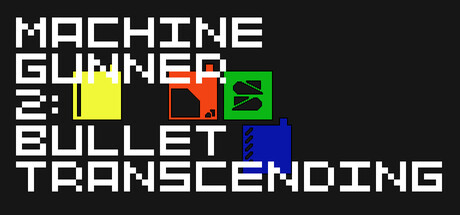
MachineGunner 2 is a 2d top-down shooter game that Player controls four characters to clear stages and complete them as fast as possible. One hit will take you to the start line of the stage. So push it at your own pace.
About this game
In MachineGunner 2, you will control four players. You can use WASD to move them, and Arrow keys to fire. Use Q,E,R,F to Mark or Unmark player 0,1,2,3. Marked player is able to move but Unmarked player's position is locked. Also, you can place your players to Cover Block. When player collides with it, Soon the player's color will be turned into grey. In that state, the player is invincible. But it can't fire. When you exit the Cover Block, the player turns back to original state. You should fire to the enemy that has same color with your player. Exceptionally, white enemy takes damage from all players' bullets. One hit will take you the start of the stage, so try not to get hit. If you don't want to be game over in some stages, press f12 to activate playerkeepGoing mode. If you see texts on the left down side from screen, it is activated. you can press f12 once again to deactivate it or when going next stage, it will be deactivated automatically.
Supported languages
English