Full game metadata
| Field | Value |
|---|---|
| Steam app type | game |
| Steam App ID | 4218260 |
| Live current players | 1 |
| SteamPulse tracked peak | 2 |
| Live count (today's peak floor) | 1 |
| Price | $7.99 |
| Free to play | No |
| Discount | 0% |
| Original price USD | $7.99 |
| Current price USD | $7.99 |
| Release date | Dec 16, 2025 |
| Developer | LoopBytewalker |
| Publisher | LoopBytewalker |
| Owners estimated | Not available |
| SteamSpy owner estimate minimum | Not available |
| SteamSpy owner estimate maximum | Not available |
| Review type | 7 user reviews |
| Positive review percent | 100% |
| Positive reviews | 7 |
| Negative reviews | 0 |
| Total reviews | 7 |
| Steam recommendations | Not available |
| Achievements | Not available |
| Average playtime forever | Not available |
| Windows support | Yes |
| macOS support | No |
| Linux support | Yes |
| Parent game | Not available |
| Store URL | https://store.steampowered.com/app/4218260/ |
Short description
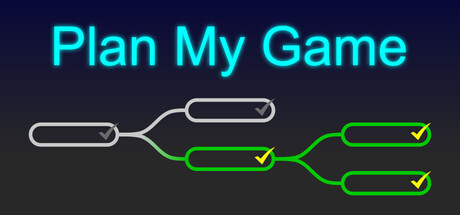
Plan My Game is a tool for creating hierarchical to-do lists on an endless desktop. It has a built in Pomodoro timer and a handy project progress overview.
About this game
Game development is hard! Most of us have been there, yet another code refactoring or redoing that one piece of art over and over again but still something feels off. This pattern is called active procrastination. A trap where we progress through endless development cycles doing only the things we feel familiar with while rarely touching those unfamiliar tasks. Plan My Game helps you stay on track on your development journey. Writing down your tasks in a hierarchical way gives your project structure. It gives you a sense of what you have accomplished and what lies ahead of you. When you decide to work on a task you can start the Pomodoro timer at the top which helps you avoid losing time on something seemingly small. This is completely optional. After finishing a task, check it off and get those nice little dopamine hits. Over time, your brain will start prioritizing the completion of small tasks instead of redoing the same big task over and over again. These simple but effective methods can help you actually finish your game! Features: Set a time limit with the integrated Pomodoro timer when working on a task. Couldn't finish a task in time? The hierarchical structure makes it easy to split up tasks. Your task tree has grown too big? Just collapse entire branches. Put a task in the wrong spot? Simply move it to where it belongs. Create tasks on the fly and stay in the flow. When writing a task, just hit enter and it will directly create the next task below or hit tab for a sub task (Shift+Enter for new line). All tasks have timestamps, so you always know when they were created and completed. Someone asks you how much of the game is done? There's an overall progress percentage in the top right corner. Or how long you have been working on your project? Find a handy day counter in the top left corner. Clear color indicators of finished and unfinished tasks let you quickly eyeball your project. Minimalistic UI. No file bars, action bars, side panels or noisy UI interfaces. Just you and your project! A simple right click opens a context menu, that's it. Plan My Game has been developed with performance in mind. Tiny executable with little memory consum…
Supported languages
English, French, Italian, German, Spanish - Spain, Bulgarian, Czech, Danish, Dutch, Finnish, Greek, Hungarian, Indonesian, Malay, Norwegian, Polish, Portuguese - Brazil, Portuguese - Portugal, Romanian, Russian, Spanish - Latin America, Swedish, Turkish, Ukrainian, Vietnamese