Full game metadata
| Field | Value |
|---|---|
| Steam app type | game |
| Steam App ID | 4432400 |
| Live current players | 0 |
| SteamPulse tracked peak | 0 |
| Live count (today's peak floor) | 0 |
| Price | $1.99 (80% off from $9.99) |
| Free to play | No |
| Discount | 80% |
| Original price USD | $9.99 |
| Current price USD | $1.99 |
| Release date | Apr 4, 2026 |
| Developer | istenen |
| Publisher | istenen |
| Owners estimated | Not available |
| SteamSpy owner estimate minimum | Not available |
| SteamSpy owner estimate maximum | Not available |
| Review type | Not available |
| Positive review percent | Not available |
| Positive reviews | 0 |
| Negative reviews | 0 |
| Total reviews | 0 |
| Steam recommendations | Not available |
| Achievements | Not available |
| Average playtime forever | Not available |
| Windows support | Yes |
| macOS support | No |
| Linux support | No |
| Parent game | Not available |
| Store URL | https://store.steampowered.com/app/4432400/ |
Short description
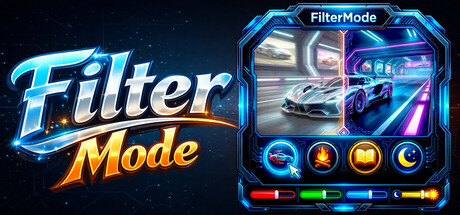
The most comprehensive tool for display customization! Switch between modes like Gaming, Reading, and Night with a single click. Easily manage Colors and Brightness. Assign timers or hotkeys to your profiles. Transform your Images and Videos into screen filters or live wallpapers.
About this game
A powerful and easy-to-use tool to personalize your visual experience. • 🚀 🖱️ Change atmosphere during gaming or work! • 👁️ Adjust color and brightness as you wish to protect your eyes! • 🖼️ Use your JPG/PNG images as screen filters! • 🎥 Use your MP4/WEBM/AVI/MKV/MOV videos as screen filters! 🎨 Color Filters: Real-time RGB, saturation, brightness adjustment 0-100% transparency control Save your filters to a list Easily apply / rename / delete your saved filters 🖼️ Image Filters: Add JPG/PNG images via drag-and-drop Image transparency adjustment Save your images to a list Easily apply / change opacity / delete your saved images 🎥 Video Filters: Add MP4/WEBM/AVI/MKV/MOV videos via drag-and-drop Video transparency adjustment Save your videos to a list Easily apply / change opacity / delete your saved videos 🕒 Scheduler System With the Scheduler tab, you can set a specific time to automatically: Toggle the All FilterMode filters on/off Automatically load a saved profile Shutdown PC Restart PC Lock PC 💾 Advanced Profile Management You can now save every setting (Color, Image, Video, Gamma, and System Brightness) as a named Profile .000 Saved profiles are now listed with visual icons (Color previews or thumbnails). Switch between "Game Mode," "Reading Mode," or "Night Mode"... (your profiles) with a single click. 💾 Automatic Save Management: All settings are automatically saved Last used filters and overlays are remembered and automatically set at startup Your settings are safe even in unexpected shutdowns ⚡ Performance Optimized Efficiency:Designed for low resource consumption. ⌨️ Quick Actions: Instant control via customizable global shortcuts (Shift+Esc, F-keys) Automatic system language detection (30+ languages).
Supported languages
English, French, Italian, German, Spanish - Spain, Arabic, Simplified Chinese, Portuguese - Brazil, Bulgarian, Danish, Indonesian, Dutch, Finnish, Traditional Chinese, Japanese, Korean, Spanish - Latin America, Polish, Hungarian, Norwegian, Portuguese - Portugal, Romanian, Russian, Thai, Turkish, Ukrainian, Vietnamese, Greek, Czech, Swedish