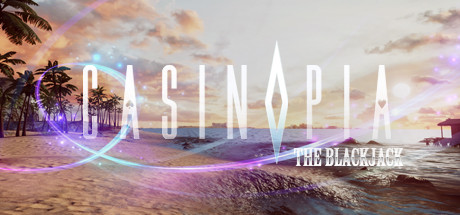
Casinopia: The Blackjack news collects recent Steam feed items, update posts, and announcements that SteamPulse can associate with this app.
- Latest observed playersNot available
- SteamPulse tracked peakNot available
- Units sold (VGI)No data available
- Revenue (VGI)No data available
- Review scoreNot available
- Total reviewsNot available
- Release dateOct 11, 2017
- DeveloperoneIMMERS
- PublisherYJM GAMES
Genres: Nudity, Casual, Free To Play, Indie, Massively Multiplayer
Company pages: Developer: oneIMMERSPublisher: YJM GAMES
No longer available on Steam Store. This app is no longer available for purchase on the Steam Store. SteamPulse keeps live player counts, media, metadata, and historical price snapshots where available.
Top Steam chartsTop 100 gamesGame directoryNo current Steam Store offer
Casinopia: The Blackjack Steam news
Casinopia: The Blackjack news collects recent Steam feed items, update posts, and announcements that SteamPulse can associate with this app.
Latest Steam announcements
- Server Closing - In App Purchases - 26 June 2018
Hi all, Following the server closing notice, please note that from today (June 26th) in-app purchases is unavailable. The Shop window will still exist in the game however any purchases cannot be made anymore. Server closing schedule: 2018.09.30 00:00 KST (GMT +9) Again, thank you for all your support!
- Casinopia Server Closing Notice - 25 June 2018
Hi all, First, we would like to thank everyone who has supported Casinopia up until now. With all your supports we tried our best to provide satisfactory services. However despite our efforts, the game just is not sustainable anymore. With heavy hearts, we have to announce that we are going to close the servers of Casinopia: The Blackjack. Please refer to the schedule below for service termination: ▶ Closing Date: 2018.09.30 00:00 KST (GMT +9) Thank you again for all of your love and supports! ːsteamsadː
- Casinopia: The Blackjack is Now Available on Oculus Rift - 21 November 2017
Greeting everyone, We hope you have a great day! Today we are having a new update. In this update, we made Casinopia: The Blackjack available for Oculus Rift owners. Even though some of you are already able to play the game using Oculus Rift, we want to make your that you get the best experience when playing our game so we officially release game for Oculus Rift as well. Now, all of Oculus Rift owner who were unable to experience and enjoy Casinopia: The Blackjack before, can now play the game and join with other players! Thank you!
- Casinopia Update Note (2017.10.24) - 24 October 2017
Greetings all, Today we have an update for the game. We made some improvement and fixed a few bugs. Update: - Fixed a bug that caused MENU button stopped working. - Fixed a bug where you could not close the Gold Shop window. - Improvements on the game's ease of use/convenience. Thank you! :)
- Casinopia: The Blackjack is now available! - 12 October 2017
Hi everyone! We are happy to announce that Casinopia: The Blackjack is now available on HTC VIVE!! Since the game is still in the early access stages, you might encounter some issues. If there is an error, please try to update your graphics card to the latest one. Check the details on how to do it here. And when you have difficulties while playing the game, you can also check the controller instruction manual here. We hope you enjoy the game and feel free to reach us at [email protected] for inquiries! ENJOY THE GAME! :)
- Controllers Manual Instruction - 12 October 2017
Please refer to the information below for the controllers instruction manual: 1. Application Menu Button: Game Menu 2. Trigger Button: By pressing trigger button you may pick chips to bet, hold down the trigger to grab chips. You can also choose the amount of money to bet by using touchpad. 3. Touchpad: Use touchpad to walk around when you are a spectator. Also you can use Right-Left touchpad to choose the amount of money for betting and to choose action while playing the game such as HIT, STAND, DOUBLE DOWN, and SURRENDER. (check image below) 4. Motion Controller: activate motion controller by moving the controller up-down(HIT) or right-left(STAND). There will be 2 labels on the table, HIT and STAND. Please be aware that those labels are not buttons, moving your controllers towards those labels might cause unwanted motion control. (e.g. when a player tries to click HIT label with right…
- The latest version of graphics card is needed to play the game! - 12 October 2017
Hi everyone! If you encounter issues during the game, please update your graphics card to the latest version. Please follow the step below to update your graphics card: 1. Open NVIDIA Website. 2. Click ‘Start Search’ on Manual Driver Search section. 3. The result will come up and click the latest version (check the latest release 4. date), and you will go to another page. 5. Click ‘Agree & Download’. 6. Install the file after completing the download. 7. Enjoy the game!! ^^ (see the image below for details)
Interactive charts, reviews, news, prices, and comparison tools load in the full SteamPulse app.