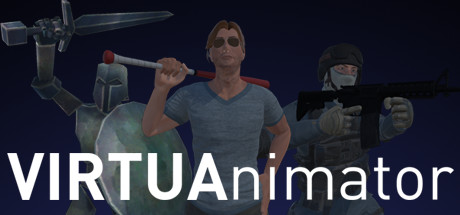
VIRTUAnimator news collects recent Steam feed items, update posts, and announcements that SteamPulse can associate with this app.
- Latest observed playersNot available
- SteamPulse tracked peakNot available
- Units sold (VGI)No data available
- Revenue (VGI)No data available
- Review score71% positive
- Total reviews17
- Release dateMay 9, 2016
- DeveloperPheonise
- PublisherPheonise
Genres: Animation & Modeling, Early Access
Company pages: Developer: PheonisePublisher: Pheonise
VIRTUAnimator Steam news
VIRTUAnimator news collects recent Steam feed items, update posts, and announcements that SteamPulse can associate with this app.
Latest Steam announcements
- Update 0.8: Stability and Performance - 24 August 2016
Version 0.8 is finally complete! The main focus of this update was upgrading the engine to Unity 5.4, which brings with it some major VR improvements. Performance should be better across the board, with many of the major bugs fixed. Much of the underlying code was refactored, which will make things easier for me to update later on (also part of the reason the update took way longer than planned). Some big improvements also made their way to other features; the DAE exporter will now only export objects with keyframes (rather than all), and will export in just a couple of seconds, rather than 30 seconds to entire minutes. Some further optimizations will be made later on to reduce the file size. The viewfinder has been completely reworked. To keep it simple, it matches how the Screenshot tool works now, generating all the relevant stuff on the fly. This should solve the viewfinder bug (whe…
- Update 0.8: Stability and Performance - 24 August 2016
Version 0.8 is finally complete! The main focus of this update was upgrading the engine to Unity 5.4, which brings with it some major VR improvements. Performance should be better across the board, with many of the major bugs fixed. Much of the underlying code was refactored, which will make things easier for me to update later on (also part of the reason the update took way longer than planned). Some big improvements also made their way to other features; the DAE exporter will now only export objects with keyframes (rather than all), and will export in just a couple of seconds, rather than 30 seconds to entire minutes. Some further optimizations will be made later on to reduce the file size. The viewfinder has been completely reworked. To keep it simple, it matches how the Screenshot tool works now, generating all the relevant stuff on the fly. This should solve the viewfinder bug (whe…
- Update 0.7.8a: Live Recording - 11 July 2016
It's been a while (much longer than expected!), but here's a new update! This update brings about a pretty big feature - Live Recording! You can now press the brand-new REC (record) button on the objects Info Box (the box that hovers above the object), and as long as you're grabbing a grab point, keyframes will be added (or edited) automatically! You can record over an existing animation, including recorded ones, allowing you to record an object with multiple passes (useful for animating characters). It's currently a pretty basic implementation at the moment - keyframes will be automatically added every 0.25 seconds, or if it's close to an existing keyframe, it'll just update that one. In upcoming updates, you'll have the option to change how often the keyframes are added, use distance thresholds, or both, giving more options of how to live record. Additionally in this update, there is…
- Update 0.7.8a: Live Recording - 11 July 2016
It's been a while (much longer than expected!), but here's a new update! This update brings about a pretty big feature - Live Recording! You can now press the brand-new REC (record) button on the objects Info Box (the box that hovers above the object), and as long as you're grabbing a grab point, keyframes will be added (or edited) automatically! You can record over an existing animation, including recorded ones, allowing you to record an object with multiple passes (useful for animating characters). It's currently a pretty basic implementation at the moment - keyframes will be automatically added every 0.25 seconds, or if it's close to an existing keyframe, it'll just update that one. In upcoming updates, you'll have the option to change how often the keyframes are added, use distance thresholds, or both, giving more options of how to live record. Additionally in this update, there is…
- Update 0.7.7a: Blending and Deleting - 30 May 2016
This update brings about a nice little feature: Frame blending! What is frame blending? It's a little hard to explain, but it basically smooths motion between 2 poses - no more sharp motion changes! Here's a professional diagram showing off what it does: And here's a basic demo that actually shows it off: Before blending: http://i.imgur.com/8nTtyCt.gif After blending: http://i.imgur.com/uz7Je4L.gif So now you can make smoother transitions, from character motions to sweeping camera passes. There are currently a few limitations - a blend frame MUST be between TWO NON-BLEND FRAMES. Blend frames aren't affected by easing (this may or may not change). Also added is a Delete Object button. THERE IS NO UNDO FEATURE YET, SO BE CAREFUL. Clicking the Delete Object button will prompt you to delete (as a kind of confirmation). Changing the selected object or waiting 3 seconds will time out the dele…
- Update 0.7.7a: Blending and Deleting - 30 May 2016
This update brings about a nice little feature: Frame blending! What is frame blending? It's a little hard to explain, but it basically smooths motion between 2 poses - no more sharp motion changes! Here's a professional diagram showing off what it does: And here's a basic demo that actually shows it off: Before blending: http://i.imgur.com/8nTtyCt.gif After blending: http://i.imgur.com/uz7Je4L.gif So now you can make smoother transitions, from character motions to sweeping camera passes. There are currently a few limitations - a blend frame MUST be between TWO NON-BLEND FRAMES. Blend frames aren't affected by easing (this may or may not change). Also added is a Delete Object button. THERE IS NO UNDO FEATURE YET, SO BE CAREFUL. Clicking the Delete Object button will prompt you to delete (as a kind of confirmation). Changing the selected object or waiting 3 seconds will time out the dele…
- Update 0.7.6a : COLLADA DAE export! - 19 May 2016
Despite not being anywhere near an immediate goal, and despite my expectations of it taking weeks, if not months, VIRTUAnimator can now export your scene as a COLLADA DAE format file! This means you can quickly and easily pose your characters, create the keyframes, then export it for fine-tuning in another application like 3DS Max. There are some limitations, which I'll talk about right now: No mesh or texture data is exported. Only transform data is exported. For a character model, this means only it's hierarchy is exported (though complete and intact); for a prop, it's position/rotation is exported. The main reason for this is because I don't want to put myself in legal trouble if, say, someone puts their content on the Workshop, only to have someone else download it, export it, and use it in a way they didn't allow. The second reason is that it would take a LONG time to do (I had to…
- Update 0.7.6a : COLLADA DAE export! - 19 May 2016
Despite not being anywhere near an immediate goal, and despite my expectations of it taking weeks, if not months, VIRTUAnimator can now export your scene as a COLLADA DAE format file! This means you can quickly and easily pose your characters, create the keyframes, then export it for fine-tuning in another application like 3DS Max. There are some limitations, which I'll talk about right now: No mesh or texture data is exported. Only transform data is exported. For a character model, this means only it's hierarchy is exported (though complete and intact); for a prop, it's position/rotation is exported. The main reason for this is because I don't want to put myself in legal trouble if, say, someone puts their content on the Workshop, only to have someone else download it, export it, and use it in a way they didn't allow. The second reason is that it would take a LONG time to do (I had to…
- Update 0.7.5a - 14 May 2016
First public update! Just a small one for now – some bug fixes, plus a new Screenshot tool, to allow easy single-shot capture, instead of setting up the camera to render a single frame. The controller’s touchpad texture has been updated to show 4 buttons now, with the Camera button opening the new tool. With it active, you’ll see a small viewfinder atop your controller, and pulling the trigger will save its view. The other button (an Eye) is unused for the moment – soon it’ll replace the Viewfinder object (or act as a second one). The Desert Mountain scene has had its lighting fixed (to an extent). Objects will now be correctly lit, and shadows won’t be pitch-black. Terrain no longer (did it before?) casts shadows; the sheer size of the terrain messes with the lightmapping, and baking the shadows would take WAY too long on my li’l old PC (left it going for 30-60 minutes, and it wasn’t e…
- Update 0.7.5a - 14 May 2016
First public update! Just a small one for now – some bug fixes, plus a new Screenshot tool, to allow easy single-shot capture, instead of setting up the camera to render a single frame. The controller’s touchpad texture has been updated to show 4 buttons now, with the Camera button opening the new tool. With it active, you’ll see a small viewfinder atop your controller, and pulling the trigger will save its view. The other button (an Eye) is unused for the moment – soon it’ll replace the Viewfinder object (or act as a second one). The Desert Mountain scene has had its lighting fixed (to an extent). Objects will now be correctly lit, and shadows won’t be pitch-black. Terrain no longer (did it before?) casts shadows; the sheer size of the terrain messes with the lightmapping, and baking the shadows would take WAY too long on my li’l old PC (left it going for 30-60 minutes, and it wasn’t e…
- VIRTUAnimator Early Access - 9 May 2016
We’re launched! VIRTUAnimator is here, and it’s ready for you! It's nearly here! I’d like to take a moment to discuss the immediate development goals planned. Firstly, some (hopefully) simple things to add: - Screenshot tool (to take easy shots of your scene without having to render) - Timeline Scaler (to get a better view of clumped keyframes) - World Timeline (controls things like Time Scale (for slow motion), and any Scene events) Then, probably less simple, is Frame Blending. At the moment, motion between keyframes is linear (or ramped up/down via Easing). This works fine for quick or direct motion, but for sweeping or curved motions, not so much. Frame Blending should allow for those smoother curves and transitions, but requires figuring out some crazy math, on top of the already crazy math of Easing. Possibly even more difficult is the Automatic Keyframe tool; this will allow you…
- VIRTUAnimator Early Access - 9 May 2016
We’re launched! VIRTUAnimator is here, and it’s ready for you! It's nearly here! I’d like to take a moment to discuss the immediate development goals planned. Firstly, some (hopefully) simple things to add: - Screenshot tool (to take easy shots of your scene without having to render) - Timeline Scaler (to get a better view of clumped keyframes) - World Timeline (controls things like Time Scale (for slow motion), and any Scene events) Then, probably less simple, is Frame Blending. At the moment, motion between keyframes is linear (or ramped up/down via Easing). This works fine for quick or direct motion, but for sweeping or curved motions, not so much. Frame Blending should allow for those smoother curves and transitions, but requires figuring out some crazy math, on top of the already crazy math of Easing. Possibly even more difficult is the Automatic Keyframe tool; this will allow you…
Patch notes and updates
| S.no | Release date | Patch name | GID number |
|---|---|---|---|
| 1 | 11 July 2016 | Update 0.7.8a: Live Recording | 4249665521684334320 |
| 2 | 30 May 2016 | Update 0.7.7a: Blending and Deleting | 4249665521684334431 |
| 3 | 19 May 2016 | Update 0.7.6a : COLLADA DAE export! | 4249665521684334540 |
| 4 | 14 May 2016 | Update 0.7.5a | 4249665521684334646 |
Interactive charts, reviews, news, prices, and comparison tools load in the full SteamPulse app.